Cozy Kids Bedtime Stories PDF for Sweet Dreams
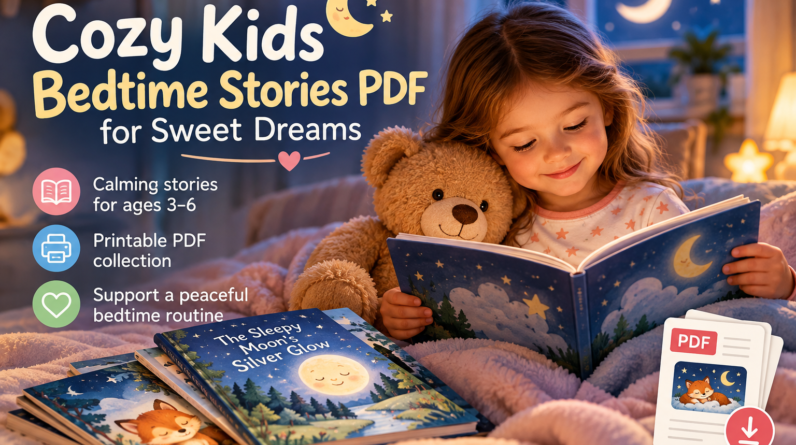
Keeping a small collection of bedtime stories PDF for kids ready can make evenings simpler, calmer and more predictable. Instead of searching online for a new story when everyone is already tired, parents can open a familiar story on a phone, tablet or computer—or print a favourite and keep it beside the bed.
For young children, especially ages 3–6, the most useful bedtime PDFs are not necessarily the longest or most elaborate. Gentle themes, simple language, peaceful illustrations and reassuring endings can make a story easier to enjoy as part of a quiet bedtime routine.
In this guide, you will learn how to choose a cozy bedtime story PDF, build a practical printable story library, choose stories by age, make digital reading less distracting and even create your own simple bedtime story.

Key Takeaways
- A good kids bedtime story PDF should be easy to read, age-appropriate and gently paced.
- Short stories with reassuring endings are especially useful for tired toddlers and preschoolers.
- PDF stories can be read digitally or printed to create a screen-free bedtime library.
- Keeping 5–10 trusted stories ready can reduce last-minute searching and bedtime decision-making.
- Calm illustrations, simple formatting and short paragraphs make bedtime PDFs easier to use.
- Families can create their own bedtime PDFs using a safe setting, small problem and peaceful resolution.
- Books For Minds offers both free calming bedtime stories and a larger premium bedtime story collection.
Watch a Calming Bedtime Story for Kids
Video can occasionally complement your bedtime story library. If you use a video at bedtime, keep the experience simple and avoid moving from one video to another once the story has finished.
Why Choose Bedtime Stories in PDF Format?
Bedtime story PDFs are practical because they are portable, reusable and easy to organise. Families can read them digitally, print selected stories or save favourites for travel and busy evenings.
A PDF can also provide a more focused experience than searching for stories across multiple webpages at bedtime. Once the story is downloaded and opened, there is less need to move between search results, menus or other online distractions.
Benefits for Parents
- Stories can be stored together in one organised folder.
- Favourite stories can be reused whenever needed.
- Files can be read digitally or printed when permitted.
- Parents can choose stories based on age, length, mood or theme.
- There is less need for last-minute bedtime searching.
- Downloaded stories can be useful during travel.
Benefits for Children
- Familiar stories can make bedtime feel more predictable.
- Repeated reading encourages children to participate in familiar phrases.
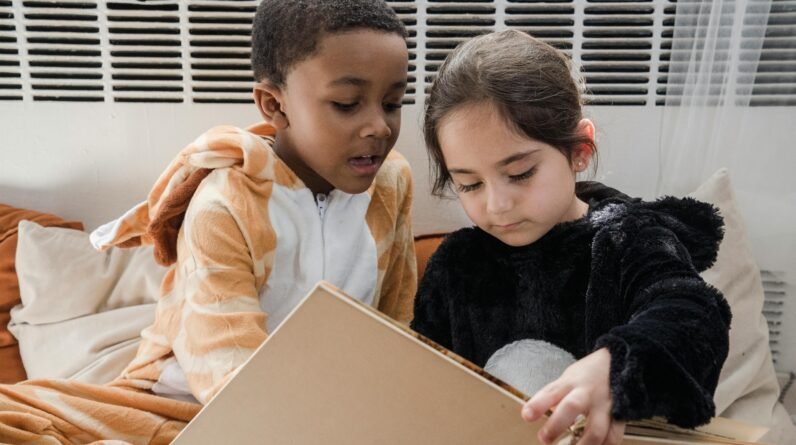
- Shared reading provides quiet parent-child connection.
- Gentle stories can provide a transition from daytime activity towards rest.
- Children can develop favourite stories that become part of their routine.
How to Choose the Best Bedtime Stories PDF for Kids
The best bedtime PDF is not necessarily the longest or most colourful. Choose stories that suit your child’s age, attention span and emotional needs at the end of the day.
Choose Gentle Themes
Bedtime-friendly themes can include:
- Kindness and friendship
- Sleepy animals
- Home and family
- Moonlight and stars
- Quiet gardens and nature
- Comfort objects
- Gentle imaginative journeys
- Simple everyday routines
If your child is particularly sensitive to intense plots or frightening characters, explore our non-scary bedtime stories for kids.
Keep the Story Length Manageable
A clear ending helps keep bedtime predictable. If your child is already very tired, shorter is often better than extending the evening with a long story.
- Young toddlers: approximately 1–3 minutes
- Toddlers ages 2–4: approximately 3–7 minutes
- Preschoolers ages 4–6: approximately 5–10 minutes
- Early readers: approximately 8–15 minutes or one calm chapter
- Older children: longer reading can work when the story remains suitable for bedtime
For especially tired evenings, our micro bedtime stories provide another short-story option.
Review the Ending Before Bedtime
Look for an ending that returns the character to safety, comfort or rest. Cliffhangers and unresolved problems may be better saved for daytime reading.
Check the Language and Pacing
Clear language, short paragraphs and gentle transitions make a story easier for a tired child to follow. Repeated phrases can also give the story a reassuring rhythm.
Check the Illustrations
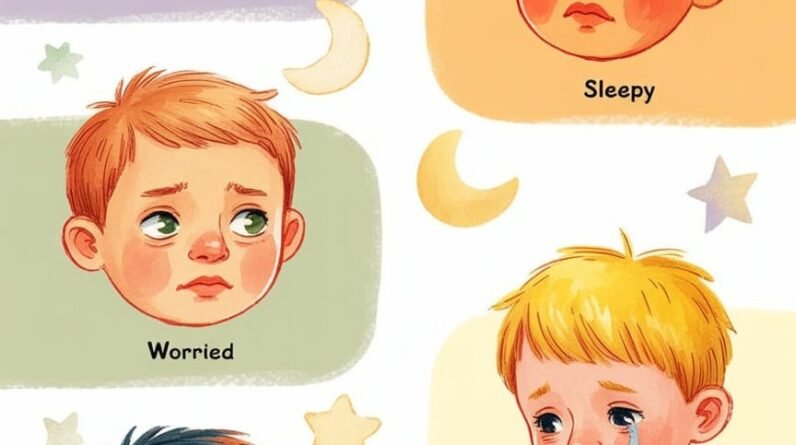
Look for soft expressions, uncluttered scenes and images that support the story rather than dominate it. The goal is not to make every page visually exciting.
Bedtime Story PDFs by Age
Age ranges are only a starting point. A child’s attention, reading experience and tiredness can matter just as much as their birthday.
| Age | Best Story Style | Suggested Length | Helpful Features |
|---|---|---|---|
| 0–2 years | Rhymes, lullabies and simple scenes | 1–3 minutes | Repetition, large images and familiar voices |
| 2–4 years | Animal stories and everyday routines | 3–7 minutes | Predictable structure and simple language |
| 4–6 years | Friendship, kindness and quiet adventures | 5–10 minutes | Small problems with reassuring resolutions |
| 6–8 years | Short chapters and imaginative stories | 8–15 minutes | Richer themes with peaceful closure |
| 8–12 years | Longer low-stakes stories | 10–20 minutes | Richer language without excessive suspense |
For more detailed age-based recommendations, visit our bedtime stories for kids by age guide.
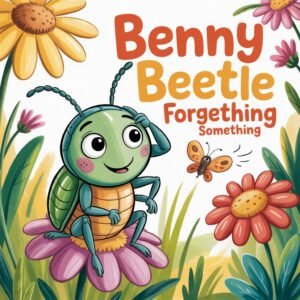
Reading a Bedtime PDF on Different Devices
Bedtime story PDFs can work across many devices, but the reading experience varies. Choose whichever format introduces the fewest distractions for your family.
| Device or Format | Benefits | Possible Drawbacks |
|---|---|---|
| Tablet | Portable, larger screen and easy page turning | Notifications and other apps can distract |
| Smartphone | Convenient and useful while travelling | Small screen and easy access to other content |
| E-reader | Low-glare display and fewer distractions | Some PDF layouts may not resize well |
| Laptop | Large display and simple file management | Can be less comfortable for bedside reading |
| Printed pages | No digital notifications and easy to share | Requires printing and page organisation |
| Audio version | Useful when reading aloud is difficult that evening | Offers a different experience from shared reading |
Make Digital Reading Less Distracting
- Reduce screen brightness.
- Use your device’s night display setting if helpful.
- Disable unnecessary notifications.
- Open the story before the bedtime routine begins.
- Avoid switching between apps during the story.
- Turn off autoplay where applicable.
- When practical, use a downloaded copy rather than searching online at bedtime.
Printing Bedtime Story PDFs
When the PDF licence allows personal printing, printed stories can become part of a simple screen-free bedtime library.
Simple Printing Tips
- Use standard A4 or letter-size paper.
- Choose double-sided printing when appropriate.
- Try booklet mode if the PDF is designed for it.
- Use colour for illustrations when practical.
- Keep loose pages together in a folder or binder.
- Add a clear cover page with the story title.
- Store frequently requested stories close to the reading area.
Create a Small Rotating Library
You do not need dozens of printed stories. Begin with five to ten favourites and occasionally introduce something different. Familiarity can be part of what makes bedtime reassuring.
What Makes a Bedtime PDF Easy to Read?
Formatting matters. A bedtime story PDF should feel clear and calm before the first sentence is even read.
- Use a clear, readable font.
- Keep paragraphs short.
- Include comfortable line spacing.
- Leave enough white space around the text.
- Avoid cluttered page backgrounds.
- Keep navigation simple.
- Use descriptive story titles.
- Add estimated reading times when useful.
- Keep illustrations relevant to the accompanying text.
How to Organise a Kids Bedtime Story PDF Library
A simple filing system can make story selection faster. Instead of leaving every PDF inside one downloads folder, group stories according to the way you actually choose them at bedtime.
Suggested Folder Structure
- Bedtime Stories / Ages 2–4
- Bedtime Stories / Ages 4–6
- Bedtime Stories / Animal Stories
- Bedtime Stories / Five-Minute Stories
- Bedtime Stories / Calm & Comfort
- Bedtime Stories / Family Favourites
Use Practical File Names
Instead of:
story-final-version-3.pdf
Use something descriptive, such as:
5-Minute-Sleepy-Moon-Story-Ages-3-6.pdf
A useful file name tells you what the story is, who it is for and possibly how long it takes to read.
How to Create Your Own Bedtime Stories PDF
A personalised bedtime story can include your child’s favourite animal, comfort object, familiar routine or imaginary place. It does not need an elaborate plot.
A simple document with readable text, a few gentle illustrations and a reassuring ending can be enough.
A Simple Five-Part Bedtime Story Structure
- Safe setting: Begin somewhere peaceful or familiar.
- Small problem: Introduce one low-stakes challenge.
- Gentle action: Let the character work through it without frantic action.
- Reassuring resolution: Return to safety and comfort.
- Sleep cue: Finish with a calm closing phrase.
Story Idea: The Tiny Cloud That Came Home
- Setting: A small cloud floats above a quiet bedroom.
- Problem: The cloud cannot remember where it rests at night.
- Journey: The moon and stars gently guide it across the sky.
- Resolution: It finds a soft resting place beside the moon.
- Ending: “The little cloud settled, the sky grew quiet, and everything breathed out.”
Story Idea: The Sock That Needed a Nap
- Setting: A cosy bedroom after bath time.
- Problem: One sock cannot find its partner.
- Journey: It checks the drawer, basket and blanket fort.
- Resolution: The matching sock is discovered beneath a pillow.
- Ending: “Together, the two socks curled into the drawer and dreamed of warm feet.”
Story Idea: The Night Garden
- Setting: A moonlit garden filled with sleepy plants.
- Problem: A beetle cannot find its favourite leaf.
- Journey: Fireflies create a gentle path.
- Resolution: The beetle finds the leaf beside a quiet flower.
- Ending: “The beetle rested, the fireflies dimmed, and the garden slept.”
How to Add Illustrations Without Making the Story Too Busy
Illustrations should support the story rather than compete with it. For bedtime reading, gentle visual consistency can be more useful than filling every page with dramatic action.
- Use a limited, harmonious colour palette.
- Choose soft navy, lavender, cream, muted purple and warm gold where appropriate.
- Use gentle facial expressions.
- Avoid unnecessarily frightening shadows or dramatic action scenes.
- Keep backgrounds relatively uncluttered.
- Use recurring characters consistently.
- Make the main character easy for young children to identify.

Reading Techniques That Can Make Storytime Calmer
The way a story is read can be just as important as the file itself.
Read More Slowly Than Usual
Allow short pauses after reassuring sentences instead of rushing towards the next page.
Lower Your Voice Gradually
Begin with a comfortable conversational voice and gradually soften it as the story approaches its ending.
Use Repetition
Repeated phrases can create a familiar rhythm:
“Everything was quiet.”
“Everything was safe.”
“The moon watched gently.”
“And sleep came softly.”
Use Short Pauses
Not every moment needs another sentence. A brief pause can help the story itself feel slower.
Keep Questions Limited
Interactive reading can be valuable during the day, but bedtime does not need to become a comprehension exercise. Keep questions gentle and brief when the goal is winding down.
Calming Phrases to Include in Bedtime Stories
Simple reassuring phrases can be repeated at natural moments in a story:
- “You are safe here.”
- “The night is quiet and kind.”
- “Your body can soften and rest.”
- “The moon is watching gently.”
- “Everything important can wait until morning.”
- “Your breathing is slow like the sea.”
- “The day is finished, and it is time to rest.”
Handling Questions During Bedtime Reading
Preschoolers may ask questions because they are curious, want reassurance or simply want the story to continue. You can acknowledge the question without allowing storytime to become open-ended.
Use a Short Bedtime Answer
Give a simple response and return to the story:
“That’s a good question. The bunny is safe, and we can talk more about it tomorrow.”
Return to Important Questions Later
If you tell your child you will discuss something tomorrow, try to remember to return to it. This helps preserve both the bedtime boundary and the value of their question.
Give Children Limited Story Choices
Small choices can help children participate without turning bedtime into a long negotiation.
- “Would you like the moon story or the sleepy animal story?”
- “Would you like the printed copy or the digital copy?”
- “Should the character have a blue blanket or a purple blanket?”
- “Would you like one longer story or two tiny stories?”
Two clear options are usually easier to manage than asking a tired child to choose from an entire story library.
Bedtime Story PDF Copyright and Permissions
A PDF being available online does not automatically mean it can be copied, modified, shared or redistributed. Check the terms provided by the author, publisher or seller.
| Action | General Consideration | Important Note |
|---|---|---|
| Using a purchased PDF at home | Often permitted | Follow the licence supplied with the PDF |
| Sharing a purchased PDF publicly | May not be permitted | Check whether redistribution rights were granted |
| Using public-domain text | May be permitted | Check the status of the specific text, edition and illustrations |
| Copying a copyrighted book | May require permission | Ownership or borrowing does not automatically grant reproduction rights |
| Creating your own original story | Generally straightforward | Use original or appropriately licensed images and other materials |
Copyright rules and exceptions vary by country and circumstances, so check the applicable licence or obtain appropriate guidance if you are unsure.
5 Ways to Make a Bedtime PDF More Useful
- Add an age range. Help parents quickly identify whether the story is suitable.
- Include an estimated reading time. This makes choosing a story easier on busy nights.
- Use a clear, calming title. Make the story easy to identify in a folder.
- Add a reassuring closing phrase. Give the story a clear emotional ending.
- Offer printable formatting when appropriate. This gives families an alternative to reading from a screen.
Signs Your Bedtime PDF Library Is Becoming Useful
The goal is not to build the largest possible collection. A useful library makes storytime easier for your family.
- Your child begins looking forward to choosing a bedtime story.
- Choosing a story becomes faster.
- Favourite stories become familiar parts of the routine.
- You spend less time searching online at bedtime.
- Your child knows what will happen after the story ends.
- The same small collection can be used at home and while travelling.
Frequently Asked Questions About Bedtime Stories PDFs
What should a good bedtime stories PDF for kids include?
A useful bedtime story PDF should have readable text, age-appropriate language, gentle themes, simple formatting and a reassuring ending. It should also be straightforward to open, navigate and, when permitted, print.
How many bedtime story PDFs should I keep?
Five to ten trusted stories can be enough to start. This provides variety without making bedtime selection overwhelming. You can gradually rotate stories as your child’s interests change.
Are illustrated bedtime PDFs better for toddlers and preschoolers?
Illustrations can help young children follow a story, but more imagery is not automatically better. Choose pictures that are gentle, clear and relevant to the story rather than visually overwhelming.
Can I read bedtime story PDFs from a phone or tablet?
Yes. Prepare the story before bedtime, reduce distractions and avoid switching between apps while reading. If screens tend to make your child more alert, consider printing favourite stories when the licence permits it.
Can I print a bedtime story PDF?
That depends on the PDF’s licence and permissions. Check the terms supplied by the author, publisher or seller before printing, copying or sharing it.
How long should a bedtime PDF story be?
Many toddlers and preschoolers enjoy stories lasting roughly three to ten minutes. The right length depends on the child’s age, attention and tiredness, so a shorter story may be preferable on particularly busy evenings.
Can I create my own bedtime story PDF?
Yes. Start with a peaceful setting, introduce one small problem, resolve it gently and finish with reassurance. If you add illustrations or other creative material, use content you created or have appropriate permission to use.
What themes work well for a cozy bedtime story PDF?
Sleepy animals, moonlight, stars, family, friendship, blankets, quiet gardens and gentle journeys are all useful starting points. The most important consideration is whether the story feels suitable for your individual child at bedtime.
Where can I get free calming bedtime stories?
Books For Minds offers free calming five-minute bedtime stories designed to give parents a ready-to-use option for gentle evening reading.
What is the difference between a free bedtime PDF and The Cozy Bedtime Stories Collection?
The free bedtime stories provide an easy starting point for families who want to try the Books For Minds approach. The Cozy Bedtime Stories Collection provides a larger library and additional bedtime resources for families who want more stories ready to use.
Quick Bedtime PDF Checklist
- Choose the story before the bedtime routine reaches storytime.
- Check that the story is suitable for your child’s age and sensitivities.
- Turn off unnecessary device notifications.
- Reduce distractions around the reading area.
- Keep a printed favourite available when appropriate.
- Read slowly and calmly.
- Use a familiar closing phrase.
- End storytime predictably.
Final Thoughts
A thoughtfully organised collection of cozy kids bedtime stories PDFs can make evening reading easier without adding another complicated task to family life. The real value is not simply the PDF format—it is having a few trusted stories ready when your child needs them.
Begin with a small collection of gentle stories that suit your child’s age and preferences. Read them slowly, return to favourites without worrying about repetition and use a predictable ending to signal that storytime is complete.
For families who want to begin immediately, the Books For Minds free calming bedtime stories provide an easy starting point. When you are ready for a larger library, The Cozy Bedtime Stories Collection gives you more gentle stories and resources ready for peaceful evenings.